
What Cash Manager Shows You
Every number starts with the information you enter.
Cash Manager does not require a bank connection or current accounting records. Add your balances, bills, expected income, reserves, and transactions to build a cash picture you can understand and keep current.
Quick Links:
Know What Is Available Today and Where Your Cash Is Headed
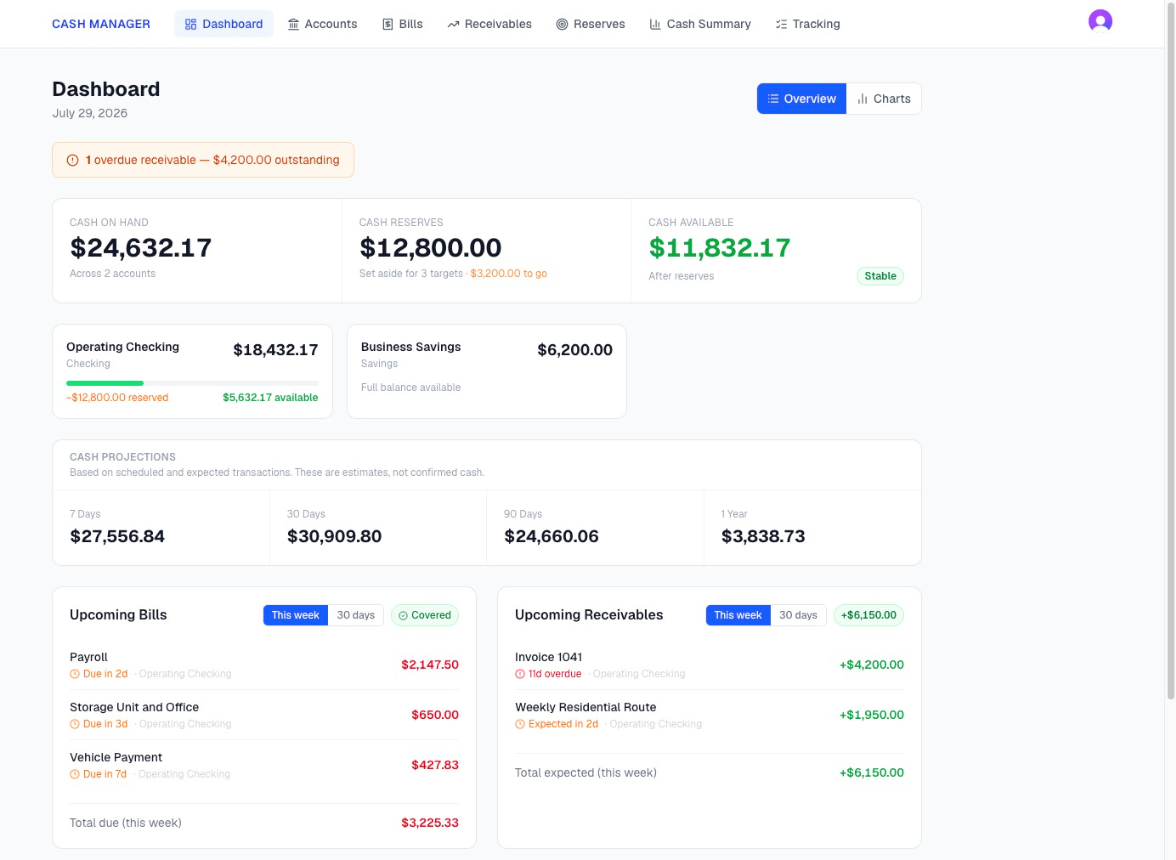
How much cash can I use right now?
See the cash held across your business accounts, the money set aside in reserves, and what remains available after reserves.
Cash Manager also uses the bills and expected income you enter to project your balance over the next 7, 30, 90, and 365 days.
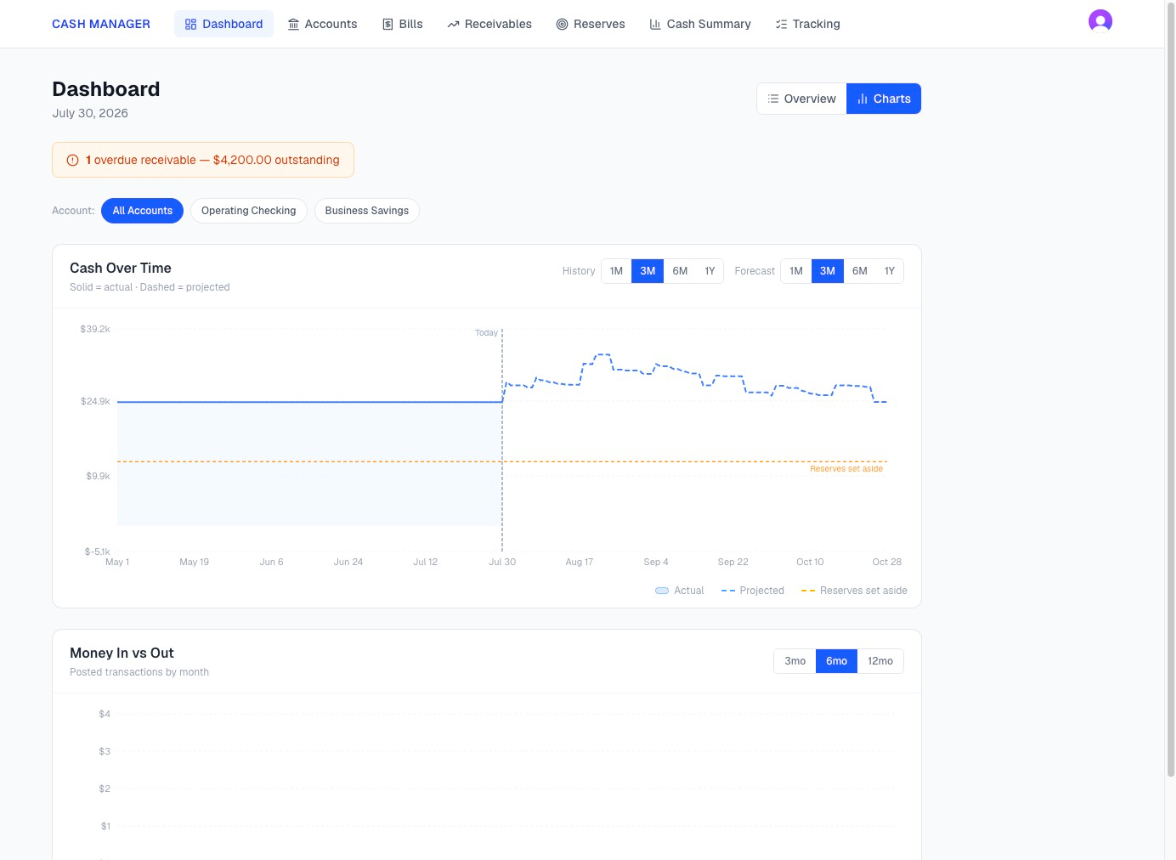
The cash timeline shows how the balance changes over time. If the account is projected to run short, you can see the date and the amount before the account gets there.
See What Is Going Out and What Is Coming In
What still needs to be paid, and what money am I waiting to receive?
Add recurring and one-time bills with the dates you expect them to be paid.
Add invoices, deposits, and other expected payments with the dates you expect the money to arrive.
View bills and expected income in a list or on a calendar. Everything you enter becomes part of the projected cash picture.
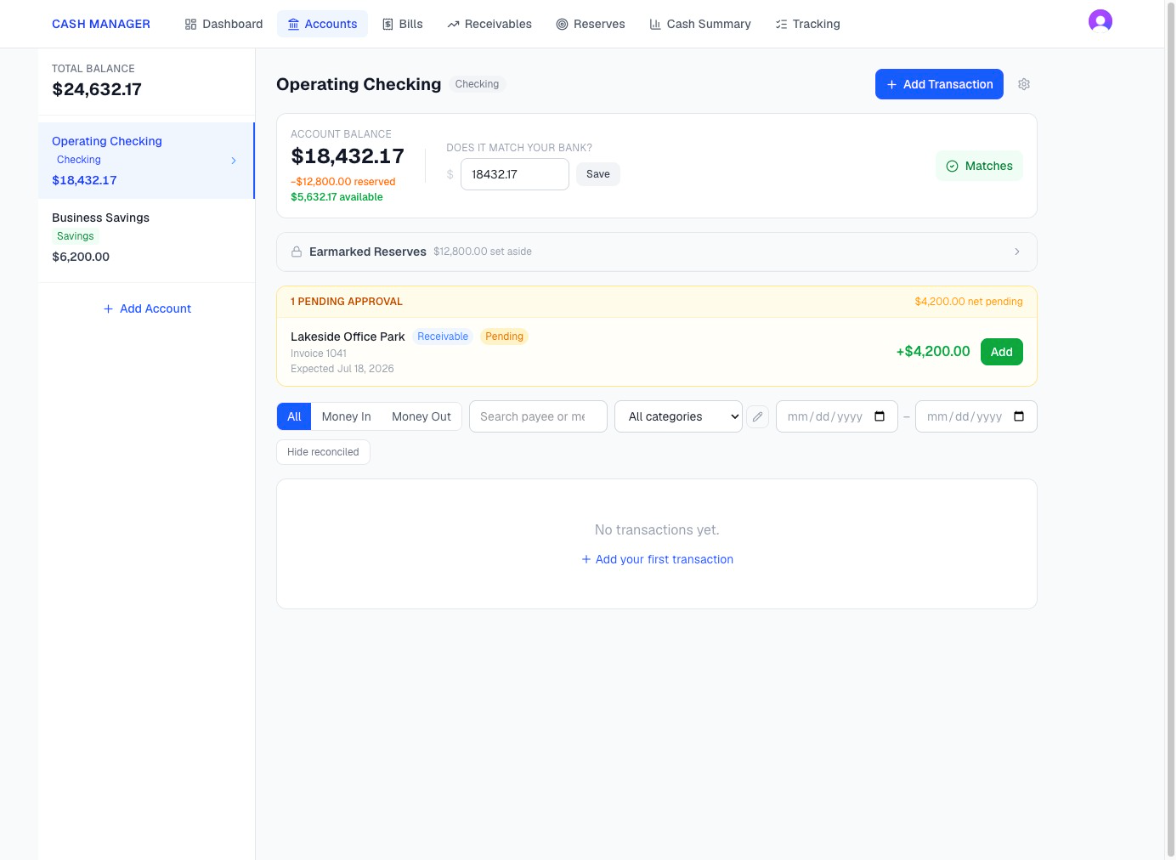
When a scheduled bill is paid or expected income is received, select Add from the account screen. Cash Manager records the transaction, updates the related item, and schedules the next recurring one.
Separate the Cash You Have From the Cash You Can Use
How much of the money in the account needs to remain there?
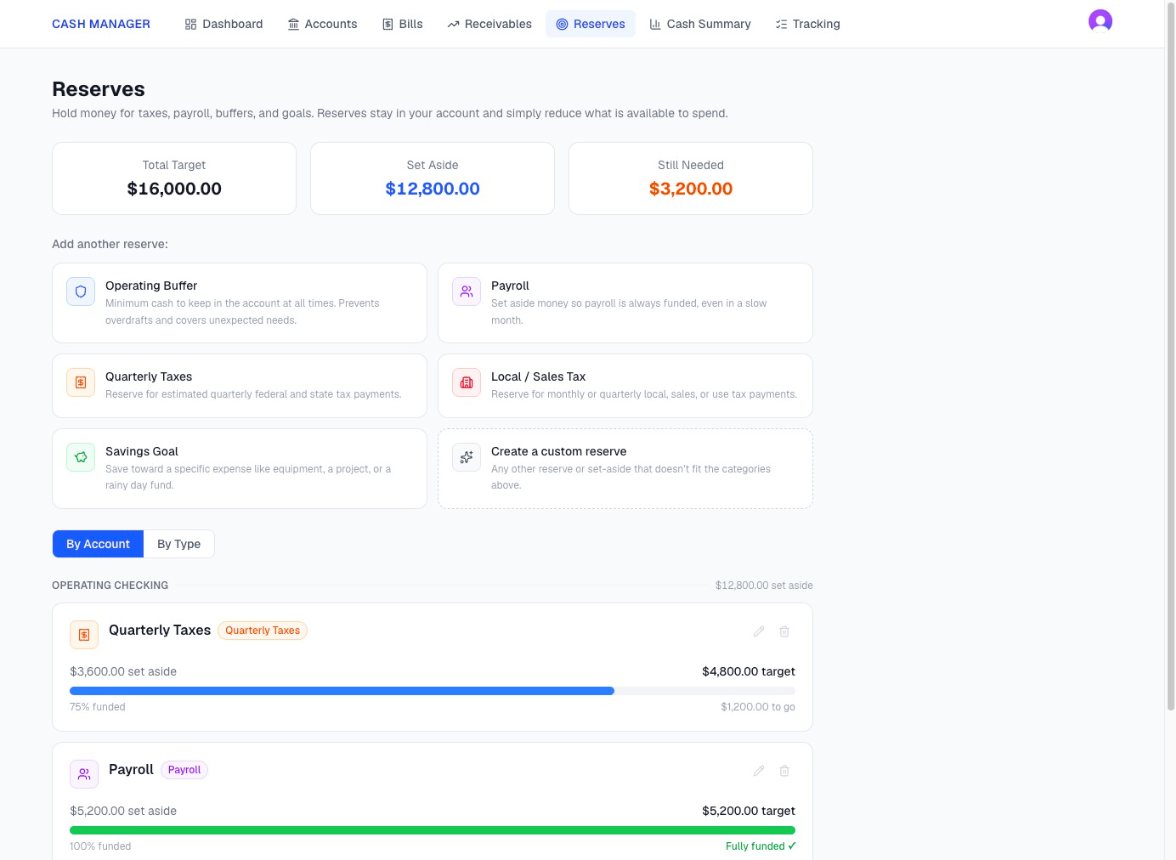
Set aside cash for common business needs, including:
An operating buffer
Payroll
Quarterly taxes
Local or sales taxes
A savings goal
A custom business need
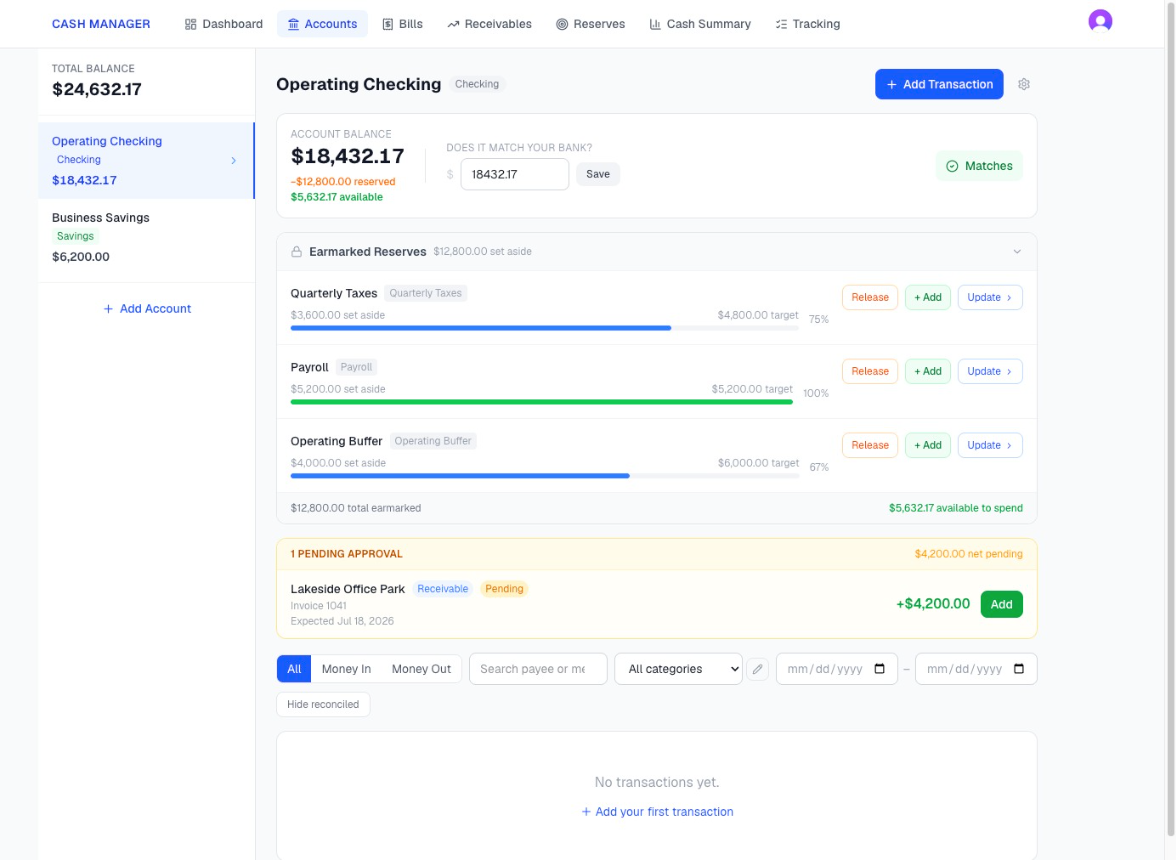
The cash remains in the account, but Cash Manager removes it from the amount shown as available.
Each reserve shows the target amount, the amount already set aside, and what remains to reach the target.
Confirm That Your Cash Picture Matches the Bank
Can I trust the balance I am using?
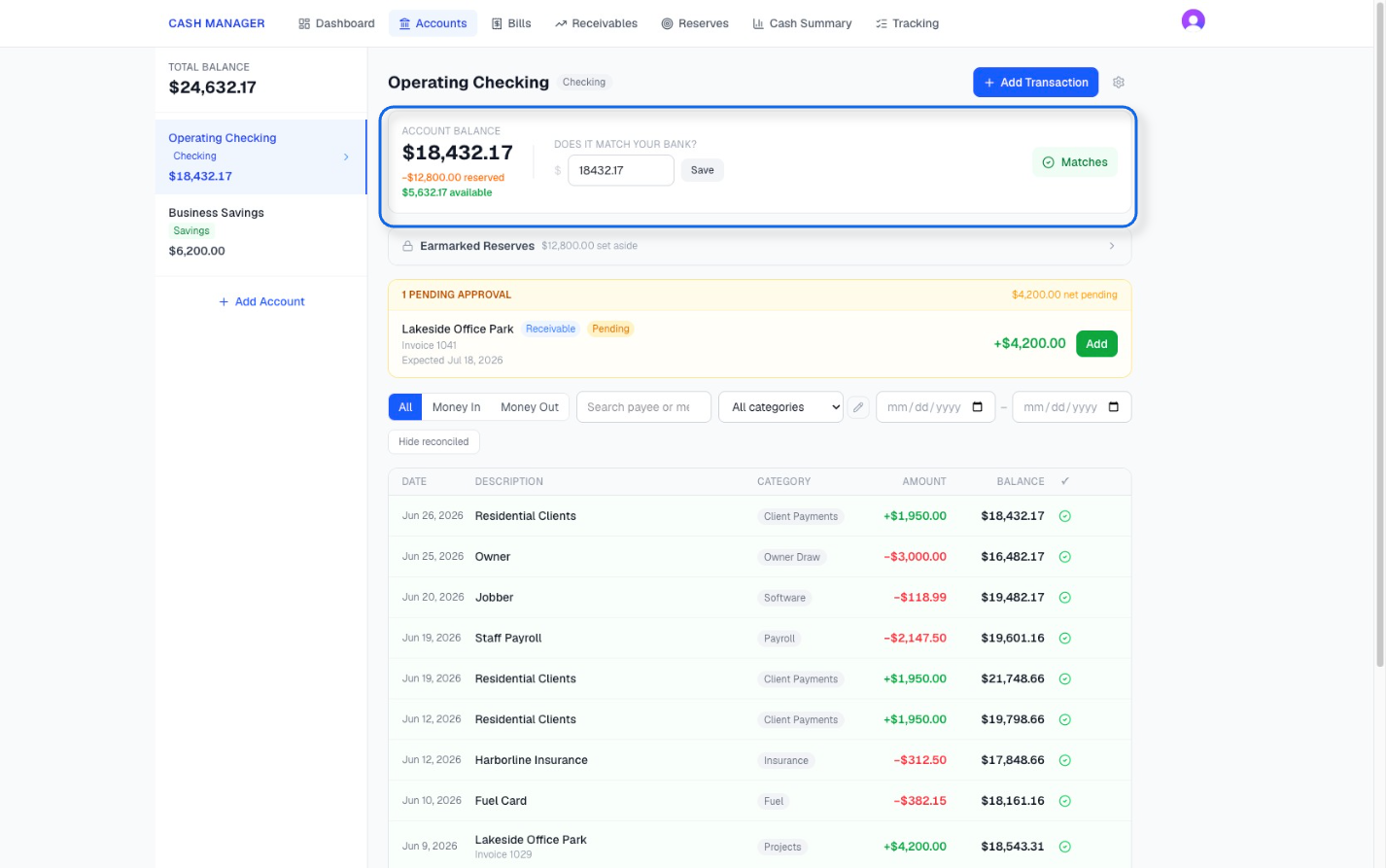
Enter the current balance from your banking app or online banking. Cash Manager shows its balance beside it.
When the amounts match, you see the confirmation.
When they do not match, Cash Manager shows the exact difference. You can review the activity, add anything missing, correct an entry, and reconcile the account once the balances agree.
You always have a clear way to see when the numbers differ and confirm when they match.
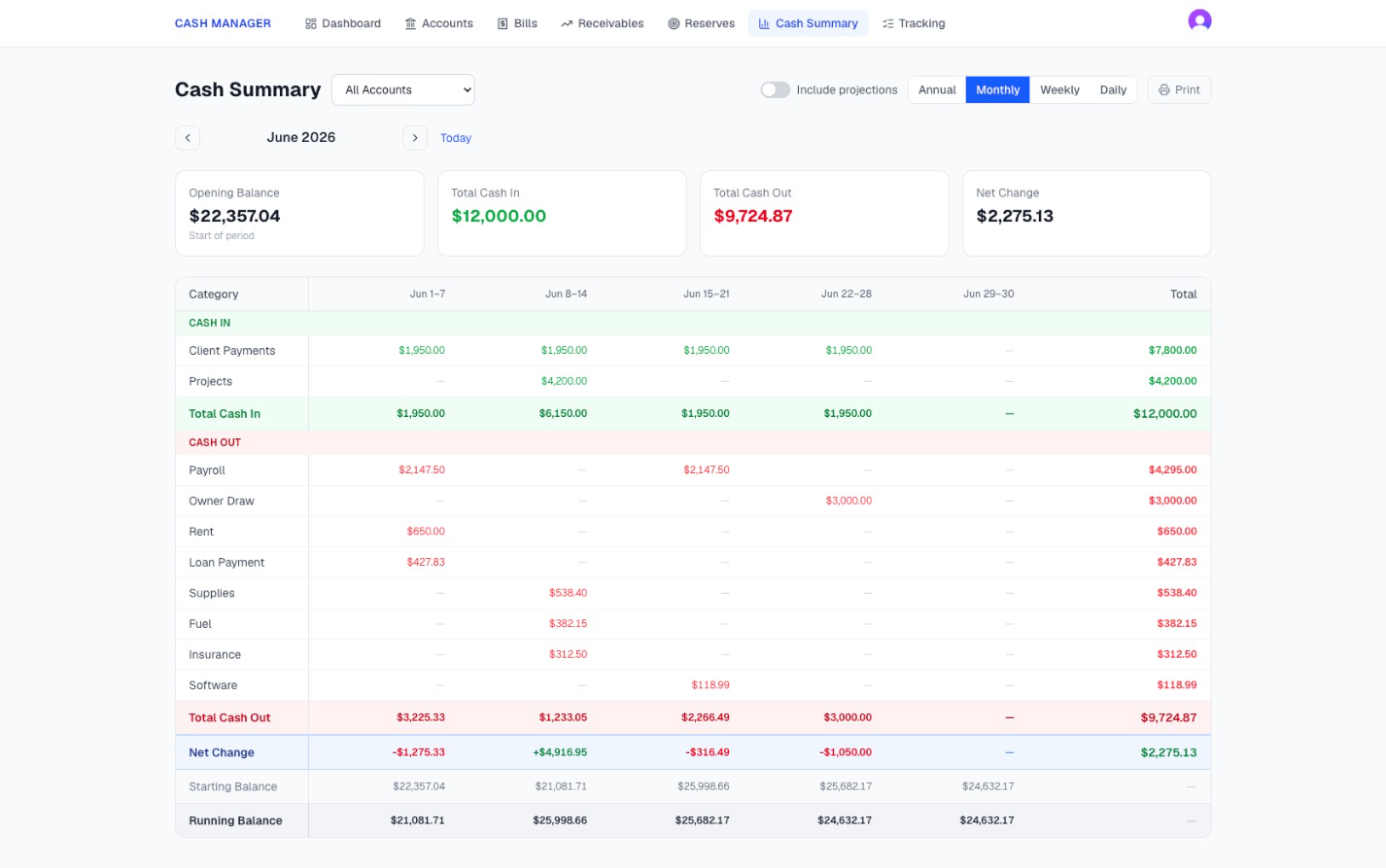
Is the cash coming in covering the cash going out?
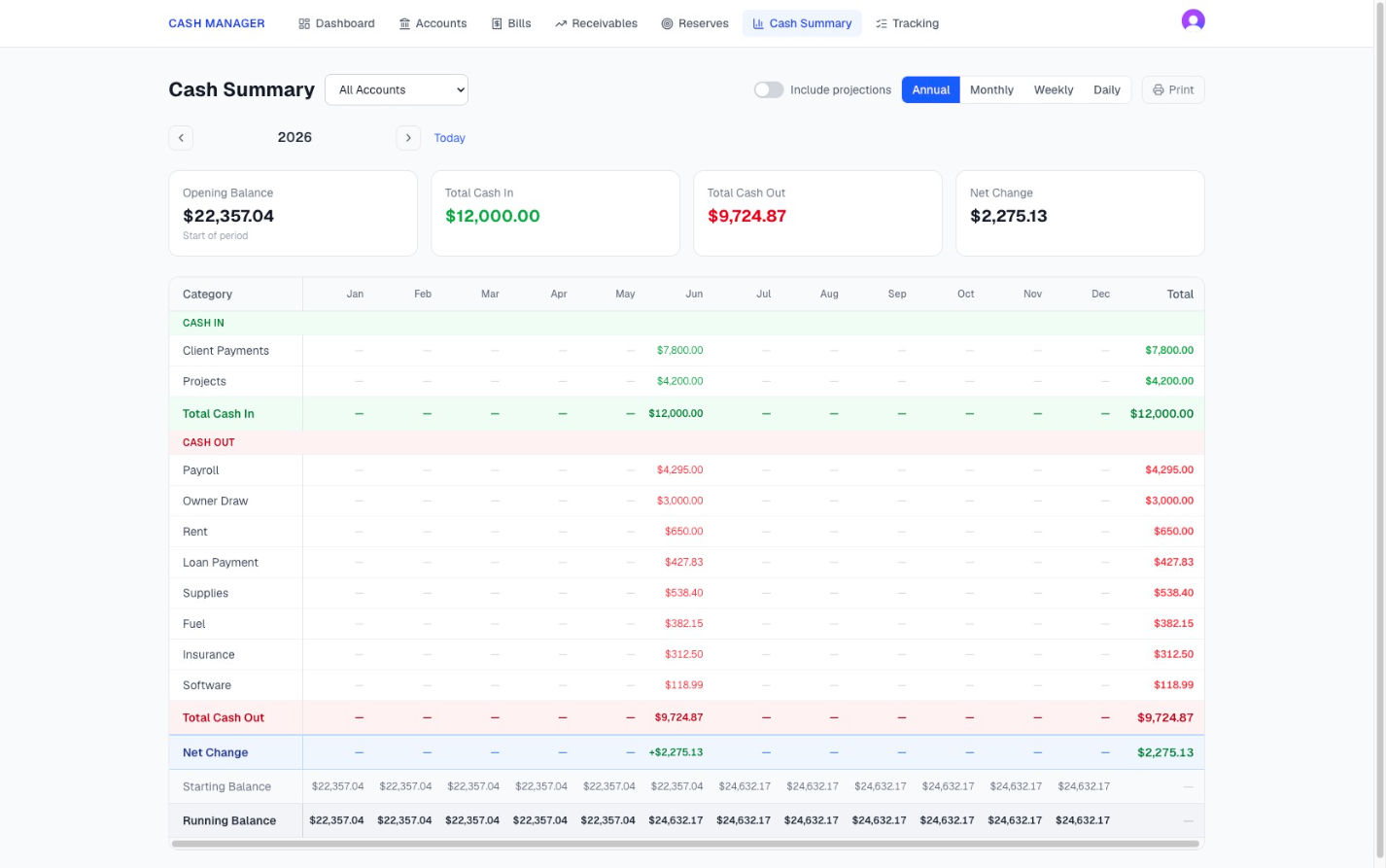
Review cash in, cash out, opening balance, net change, and running balances by year, month, week, or day.
See where money came from and where it went by category.
Turn projections on to include upcoming activity. Turn them off to review only transactions that have already happened.
The annual Cash Summary can also be printed and shared with a financial professional.
Understand What Is Happening With Your Cash
See What Has Been Paid and What Is Still Outstanding
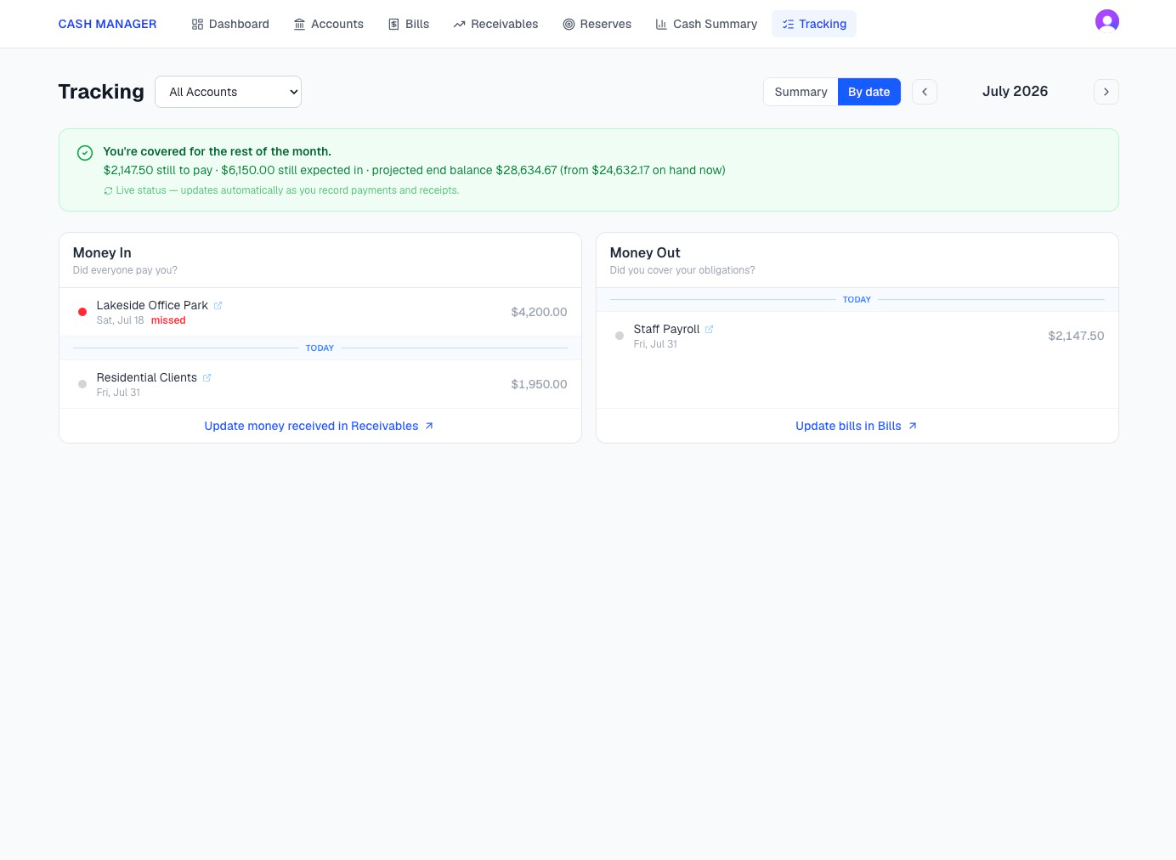
Have I paid every bill and received every payment expected by today?
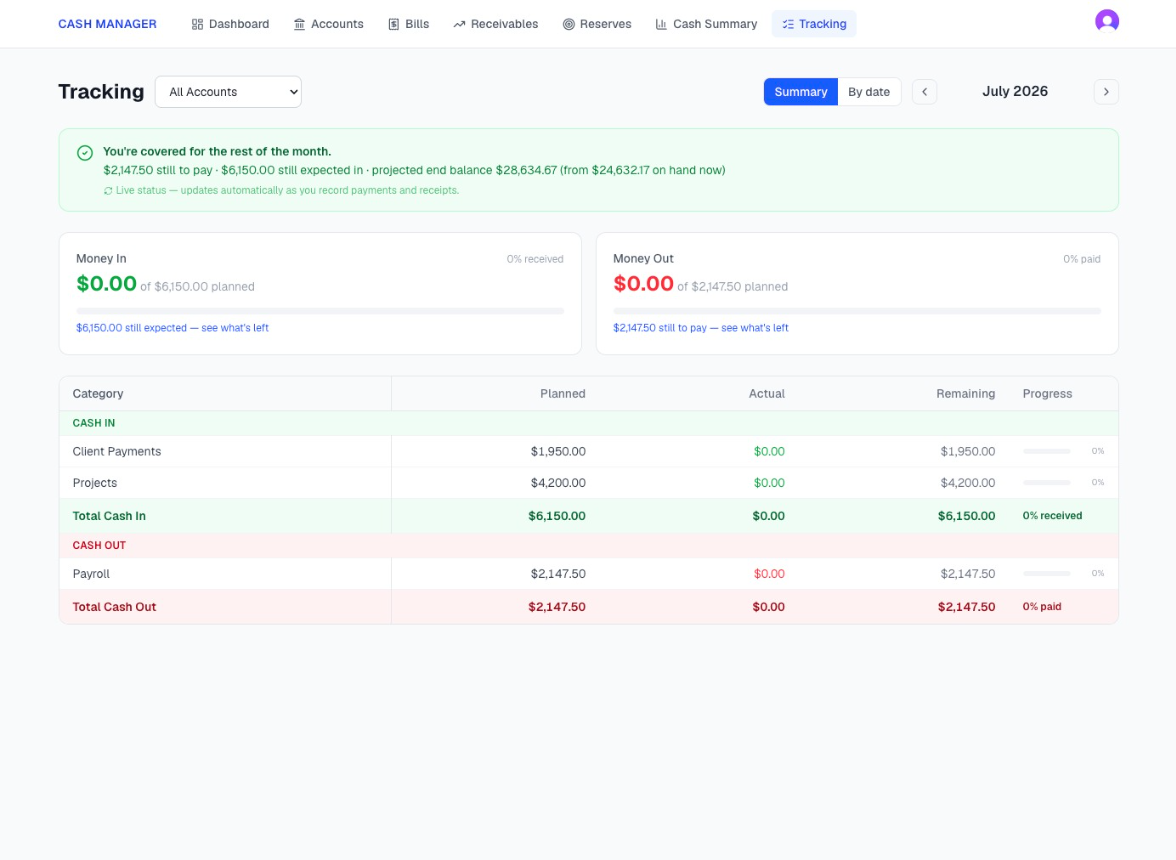
Tracking keeps each planned bill and expected payment visible.
See which bills were paid, which are still outstanding, which payments were received, and which have not arrived.
Choose a date to see where the business stands through that point and what still needs attention.
This gives you the item level answer that a category total cannot provide.
See the Cash Behind the Decision
Cash Manager brings your current balances, reserves, upcoming activity, completed transactions, and projected position into one connected cash picture.
Use it to understand where the business stands before you pay yourself, cover payroll, make a purchase, or take on another cost.
Want more information on getting started? Visit our Get Started page.
A payment method is required. Cancel before the trial ends and you will not be charged.